

Write a node
Every node in Curio, the built-ins included, comes from a package: a folder whose manifest.json declares one or more node templates. You can add your own in two ways: a Python node reuses Curio's code editor and needs no build step, while a node with its own interface is a React hook written in TypeScript and compiled into a bundle.
A Python node
- Drop a Data Transformation node on the canvas and write your Python in its editor. The upstream node's output arrives as
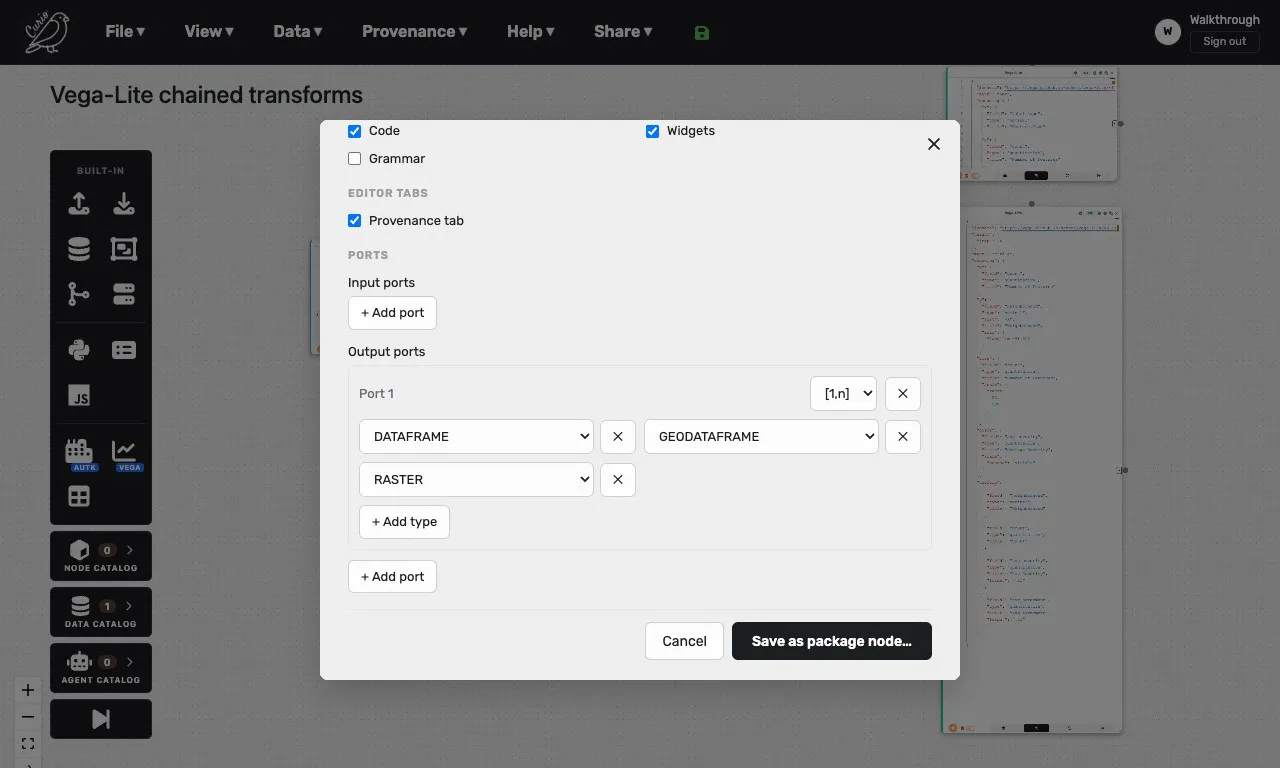
arg, and whatever youreturnbecomes this node's output. Run it until it does what you want. - Click the cog in the node header to open Node settings, and set the label, the port types and the editor mode.
- Click Save as package node…, pick New package…, give the package a name and save.
The node now belongs to your package, in your own store under .curio/users/: it stays in the palette after a restart, its imports are recorded as the package's dependencies, and Curio generates its id. To pick your own reverse-domain id, start from files in a git clone (see Contribute): python scripts/new_package.py me.roughness writes a valid packages/me.roughness@1/ with a Python starter, to add from the Node Catalog drawer.
A node with its own interface
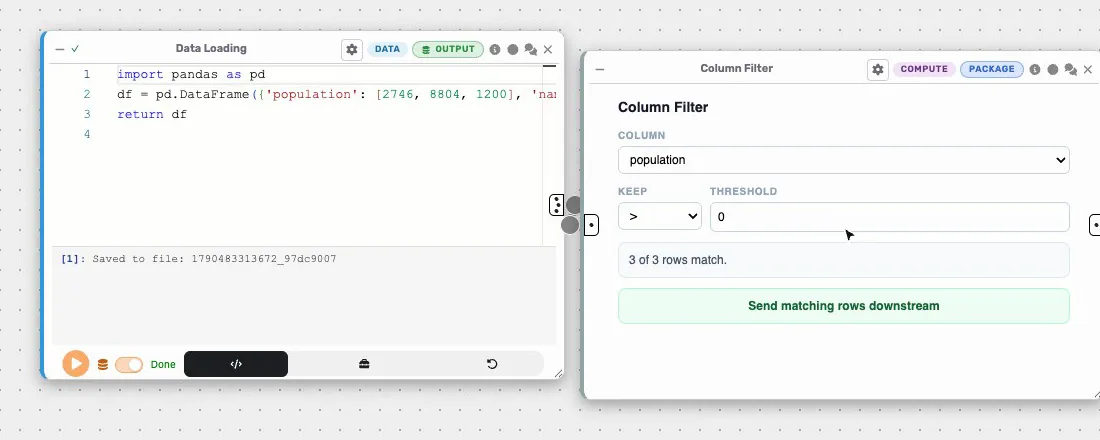
A custom node replaces the code editor with controls you design, in a React hook that renders inside the node body. Save as package node never includes the compiled bundle such a node needs, so this kind is written as files in a git clone:
python scripts/new_package.py me.mynode --with-ui
cd utk_curio/frontend/urban-workflows
npm run build:packages
Before the first build, paste the entry the scaffold prints into webpack.packages.config.js, then add the package to a dataflow from the Node Catalog drawer. Curio runs your installed copy, not the files in packages/, and refreshes that copy when those files change, so reload the page after each rebuild. The curio.example-ui@1 package, a column filter, is the example to read and fork.
Reading upstream data
In a Python node, arg is a Python object such as a DataFrame, a GeoDataFrame, a value, a list or a dict, or a list of them in edge order when several inputs arrive through a Merge Flow. Read a Data Catalog dataset with curio_dataset_path("<dataset id>"), using the id without its @ version, not a file path, so the dataflow keeps working for others.
In a custom node, data.input usually holds a reference to a stored result, not the data. Fetch it from the backend at window.curio.backendUrl with the user's session token, not process.env.BACKEND_URL, which bakes in your own machine's address. A DataFrame arrives as one array per column, while hand-written data may key each column by row, so accept both. The example package's resolveInput handles every shape.
What to watch for
- A custom node that shows a plain code editor has a bundle that failed to load, which the browser console reports, or mismatched keys: the template's
behavior, the key passed toregisterBehaviorand the manifest'sbehaviorScriptpath must agree. - Build with
npm run build:packages, not the fullnpm run build, and never bundle your own copy of React. - A Python template has a single source file, so it cannot ship helper modules.
- After editing a package in place, refresh its hashes with
python scripts/regen_integrity.py packages/<id>@<major>.
Sharing it
Export the package with the download icon on its row in the Node Catalog dropdown of the Tools panel. You get one <packageId>@<major>.curio.zip that carries a custom node's compiled bundle, so whoever installs it needs no build step. To check that it stands on its own, remove the package and import the archive. Build a package covers archives, dependencies, publishing and versions.