Widgets and parameters
A widget is a value a node's code reads that you set in a form instead of in the code: a threshold, a season, a date, a place. Python, Vega-Lite and Autark nodes have widgets. A Parameter node holds one such value for every node of the dataflow, and a selection tag hands a node the rows you selected in a chart or a map.
Add a widget
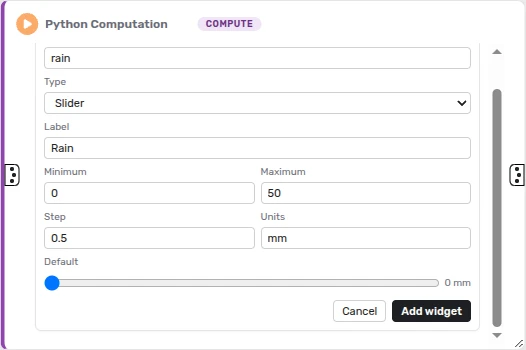
- Open the node's Widgets tab (the toolbox icon in its header) and click Add widget.
- Give it a name (letters, digits and underscores), a type, a label and a default. A choice, a checkbox group or a multi-select also takes its choices, and a number or a slider takes a minimum, a maximum, a step and units.
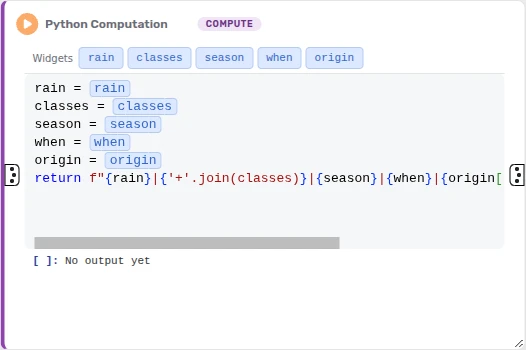
- Drag the widget's tag from the strip above the code into the code, or click the tag to put it at the cursor. It shows as a chip; point at the chip to see the value it stands for.
- Set the value in the Widgets tab and run the node.
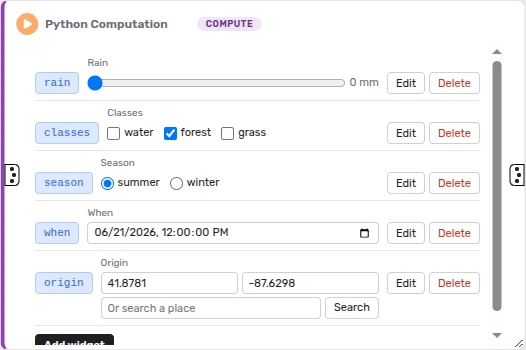
A widget is a number, a slider, a text, a choice (a dropdown or radio buttons), a checkbox, a checkbox group, a multi-select, a date and time, a location (a latitude and a longitude, or a place search), a list of numbers or of texts, a range, or a text file.
When the node runs, each chip is replaced by its value, written in the code's language: a season chip runs as "winter" in Python, and an opacity chip as 0.5 in a Vega-Lite spec. Inside a quoted text, a chip becomes the value's text. The code saves a chip as [!! name !!].
Values are saved with the dataflow. Changing one marks the node as needing a new run, so Run and Run All run it again. A chip whose name the node has no widget for stops the run with a message naming it.
Share a value with a Parameter node
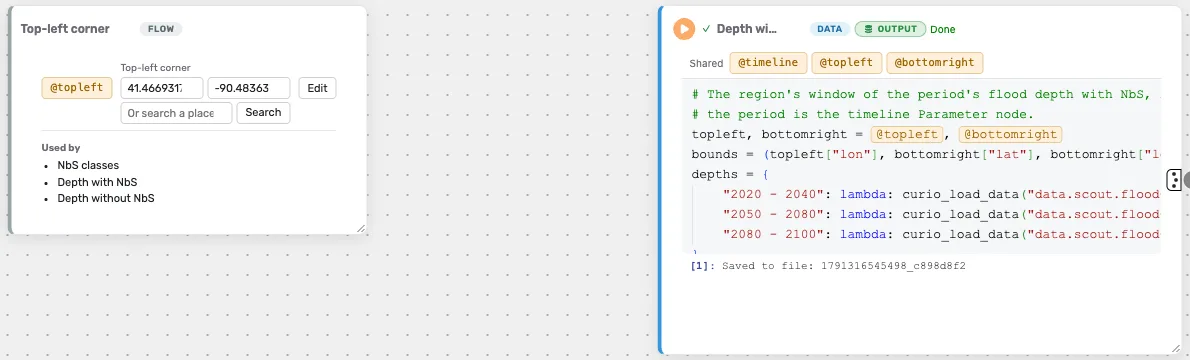
A Parameter node holds one widget that any node of the dataflow can read, such as a period or a region that several nodes use.
- Drag Parameter from the palette onto the canvas, give it a name, a type, a label and a default as for a widget, and click Add parameter.
- Its tag, @name, shows under Shared in the strip above every node's code. Drag it into the code, where it shows as an amber chip.
- Set the value in the Parameter node.
A Parameter node has no connections. It lists the nodes whose code uses it, and changing its value marks them as needing a new run. Edit renames it, and their code follows the new name. Pinned to the dashboard, it shows its value.
Hand a node what you selected
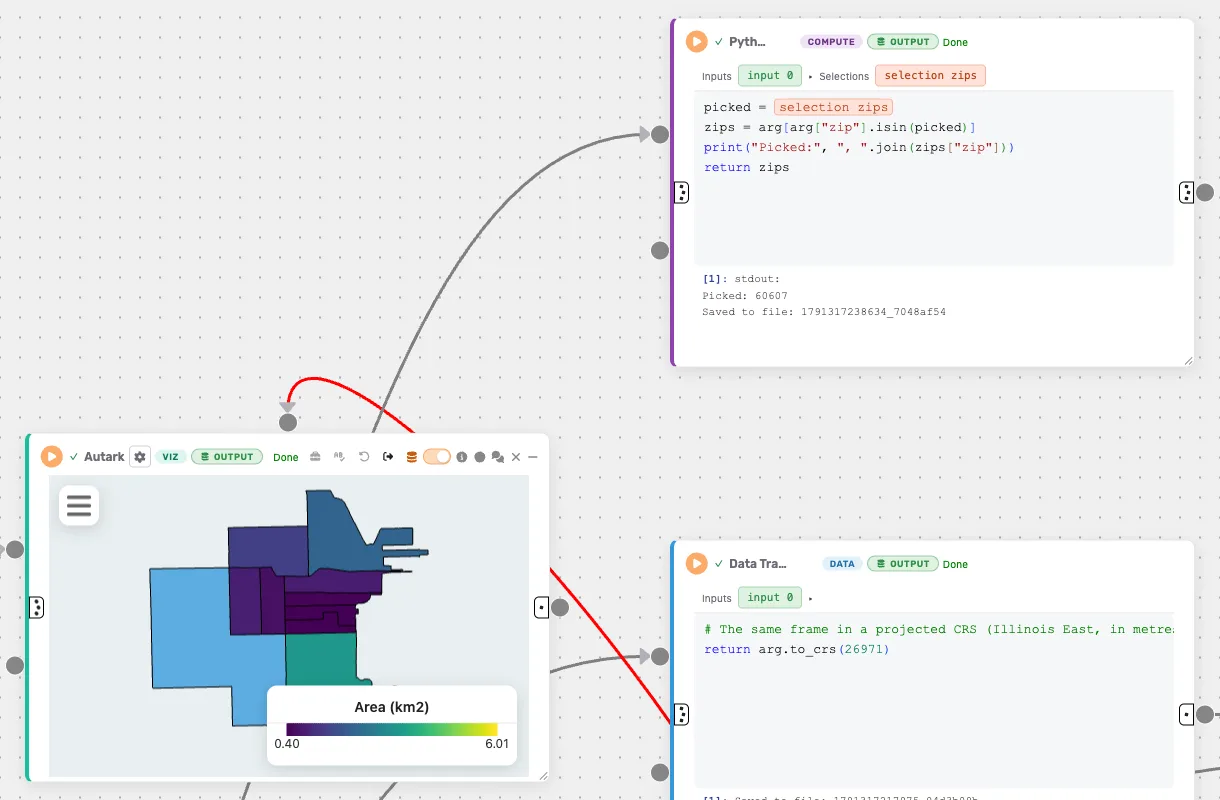
A selection tag gives a node's code the rows you selected in a view: a brush or a click in a Vega-Lite chart, or a pick or a brush in an Autark map or plot.
- Run the view, so its rows are known.
- In the reading node's Widgets tab, under Selections, click Add selection. Pick the view and the column that identifies its rows, such as
osm_idorbuilding_id, name the tag, and click Add selection tag. - Drag the tag into the code, where it shows as a peach chip.
- Select in the view and run the node.
The chip becomes the list of the selected rows' ids:
picked = [!! selection buildings !!]
return arg[arg["osm_id"].isin(picked)]
With nothing selected, the list is empty. A new selection marks the node as needing a new run, and the ids are saved with the dataflow. A tag holds at most 10,000 ids.