

Collaboration
Several people can edit one dataflow at the same time: everyone sees who else is there, changes to the graph appear on every screen, and code edits go to the others for approval before they apply. Collaboration is available when you run Curio yourself with it turned on. The hosted instance runs without it.
Turn it on
Collaboration is off unless the server starts with the --collab flag. Start it together with --deploy, so that each person signs in with an account of their own: Curio tells collaborators apart by their accounts. From a checkout of Curio, run:
python curio.py start --deploy --collabAfter a pip install, the command is curio start --deploy --collab. --deploy needs a host that can isolate node execution, such as Curio's Docker image; see Self-hosting. Collaboration is experimental, so use it on a network you trust, or put the server behind HTTPS.
Then everyone signs in and opens the same dataflow. Share > Copy dataflow link copies its address.
See who is here
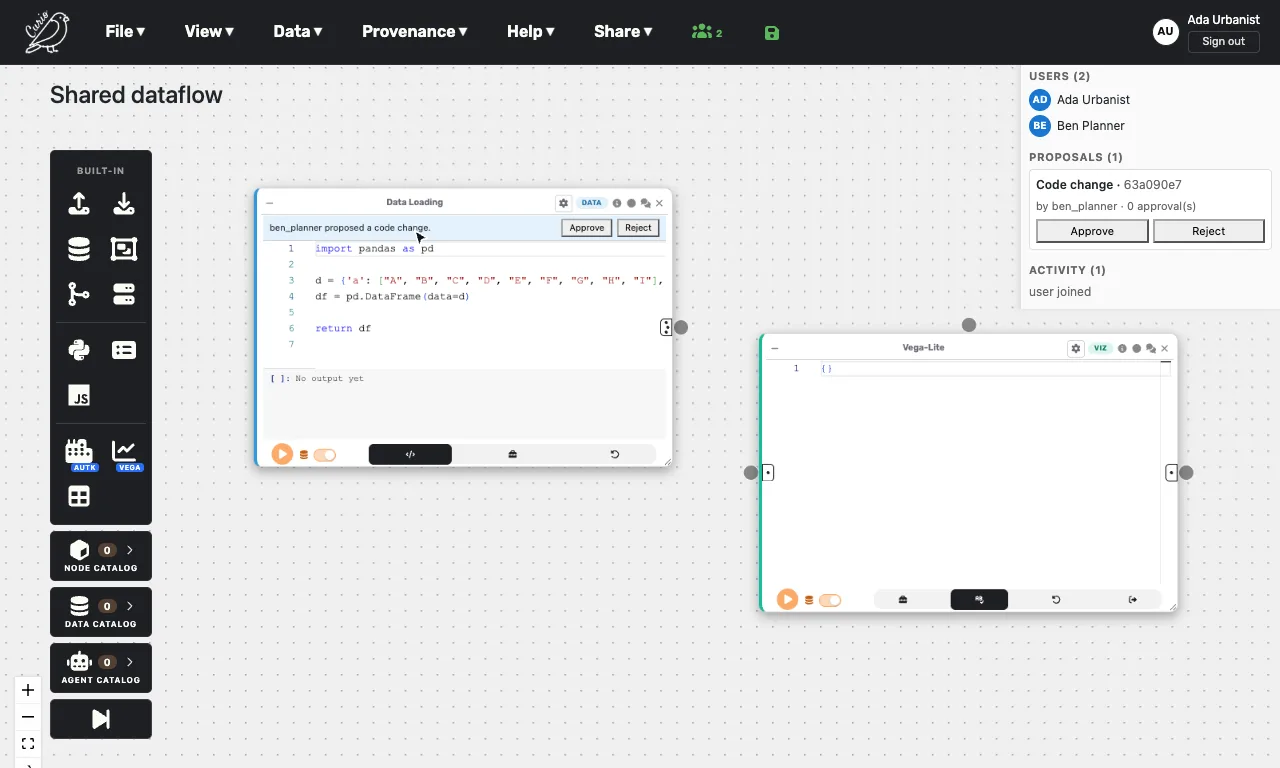
On a server with collaboration on, a people icon appears in the canvas top bar, with the number of people in the dataflow once there is more than one. Click it to open the side panel: Users lists everyone in the dataflow, Proposals holds code changes waiting for approval, and Activity shows recent events, such as people joining and changes being applied.
Edit together
Adding, moving or deleting nodes and connections shows up on everyone's canvas right away. When a node finishes running for one person, the others see its result too, without running it themselves.
While someone edits a node's code, the node shows a badge with their initials, and its editor is read-only for everyone else. The lock is released when they leave the editor or disconnect.
When you change a node's code or grammar and click away from the editor, the change goes to the others as a proposal. They see a banner on the node with Approve and Reject, and the Proposals list offers the same buttons. Once everyone else approves, the change applies in every editor at the same time; a single Reject withdraws it.
Good to know
- The dataflow is saved from its owner's browser. Collaborators' edits reach the owner and are saved from there, so they are not kept while the owner is away.
- Anyone signed in to the server who has the dataflow's address can join it.
- The list of people, the locks and the proposals are kept in the server's memory, so a restart clears them.
- Large results, such as images, can take a while to appear for the others.